
FLOW SCANNER
Know which Flow to open first.
Every active Flow in your org, scored on what actually hurts in production, and every object ranked by the automation weighing on it. No more opening Flow Builder twenty times to build a picture in your head.
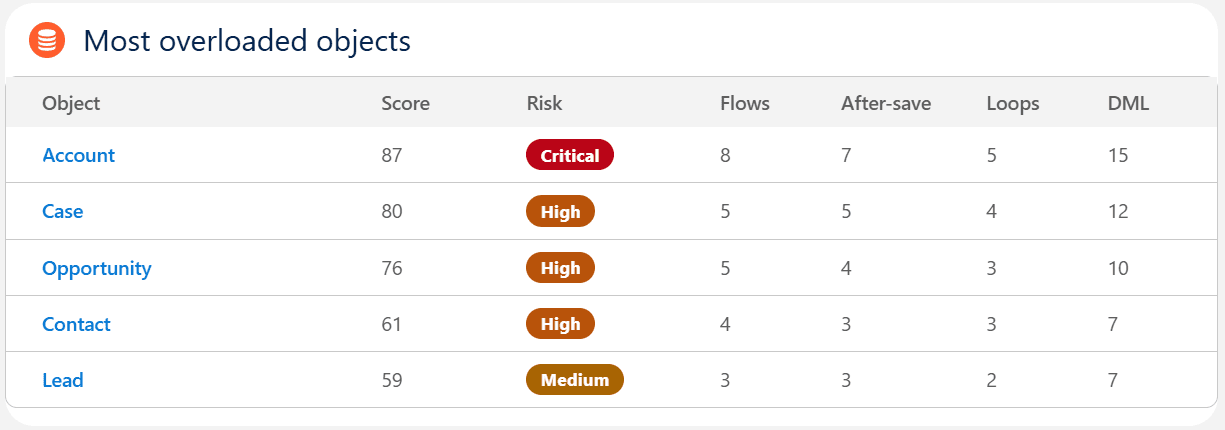
Your org, ranked by load.
The first screen after a scan. Objects sorted by how much automation they carry, Apex triggers counted next to Flows, because a slow save does not care which one is to blame.
Not a line count. A risk count.
A long but flat Flow is fine. A short one that writes records inside a loop is not. The score reads the structure of the Flow, element by element, and weighs what breaks orgs in practice.
Work done inside a loop
- DML elements inside a loop, which multiply database operations until a governor limit stops them
- Get Records inside a loop, repeating the same query on every pass
How the Flow is put together
- After save record-triggered Flows stacking on one object with no trigger order
- Subflows, where the failure is never in the Flow you are reading
- Element count, loops and DML volume
What it will cost the next person
- No entry criteria, so the Flow runs on every single save
- Missing fault paths on elements that carry real DML risk
- Old API versions left behind by years of upgrades
The bands
- 0 to 30Low
- 31 to 60Medium
- 61 to 80High
- 81 to 100Critical
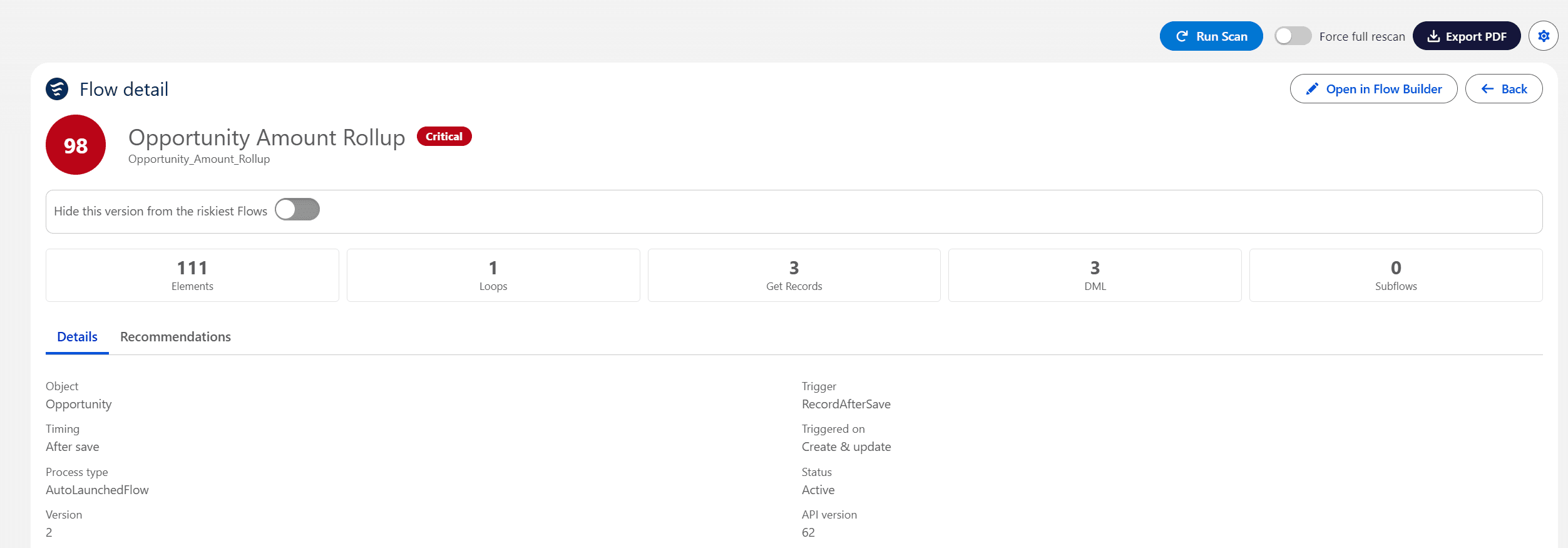
The number, and the reason for it.
Elements, loops, Get Records, DML and subflows counted on the same line as the score, with the trigger, the timing and the API version underneath. Only the active version is read, not every draft sitting in the org.
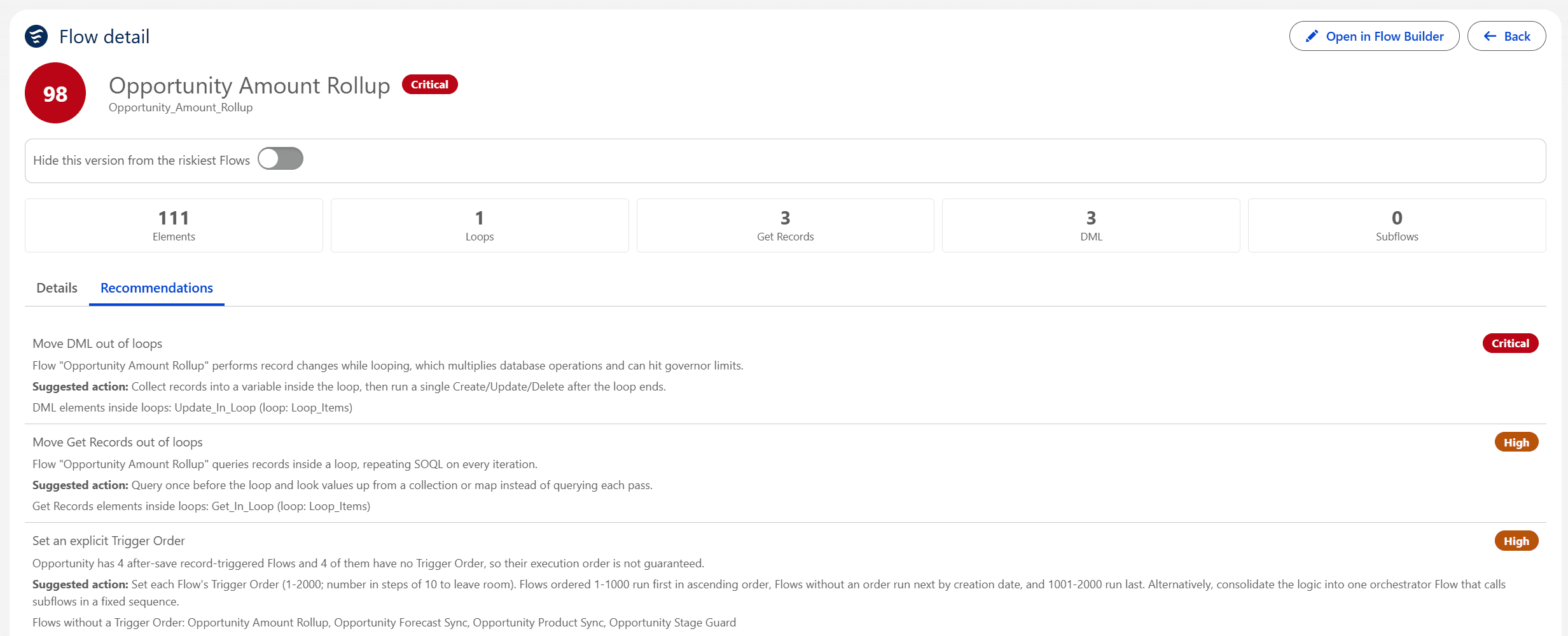
It names the element, not just the Flow.
A score on its own only tells you where to worry. Each recommendation gives the element at fault, what it costs, and the fix, ranked by severity so the list has an order. Fixed a Flow, or decided to live with it? Hide that version from the riskiest Flows, and it comes back on its own only when a new version is scanned.
An audit is a moment. This is a habit.
Scheduled scans
Weekly on most orgs, daily during a migration. You stop remembering to look, and the org tells you when it drifts.
A summary in your inbox
The score, the move since the previous run and the top risks. Send it to whoever owns the org, not only to yourself.
A PDF with your name on it
Your colour, your logo, your footer. The deliverable reads as your audit, because the finding is yours. The scan is just the tool.
Once you know which Flow to open, you will want to know what it writes to.
Field X-Ray answers that, field by field, and tells you whether each automation reads it or writes it.
Scan your own org in ten minutes.
The free tier ranks your objects and shows you the worst Flows. No card, no account, nothing leaves your org.