
FIELD X-RAY
Where is this field used, answered properly.
Pick a field. Get every place it is touched, standard fields included, with each reference marked read or write. Then decide whether you can change it, rename it, or finally delete it.
Salesforce has a button for this. It stops in three places.
Where is this used? is genuinely useful, right up to the moment you need one of the three things it does not do.
It skips standard fields
Name, Industry, Amount, StageName. The fields your business actually runs on, and the button is simply not there.
It lists every Flow version
Inactive versions included, so one Flow with a long history reads like a dozen places to check. Field X-Ray only reads the version that actually runs.
It never says read or write
Those are completely different risks. A report reading a field is fine. Three Flows writing the same field in the same save is a bug waiting for a bad day.
Read or write, on every single hit.
Not just the Flow name. The element inside it, whether that element reads the field or writes to it, and whether it runs before or after the save. That is the difference between a list you have to verify by hand and one you can act on.
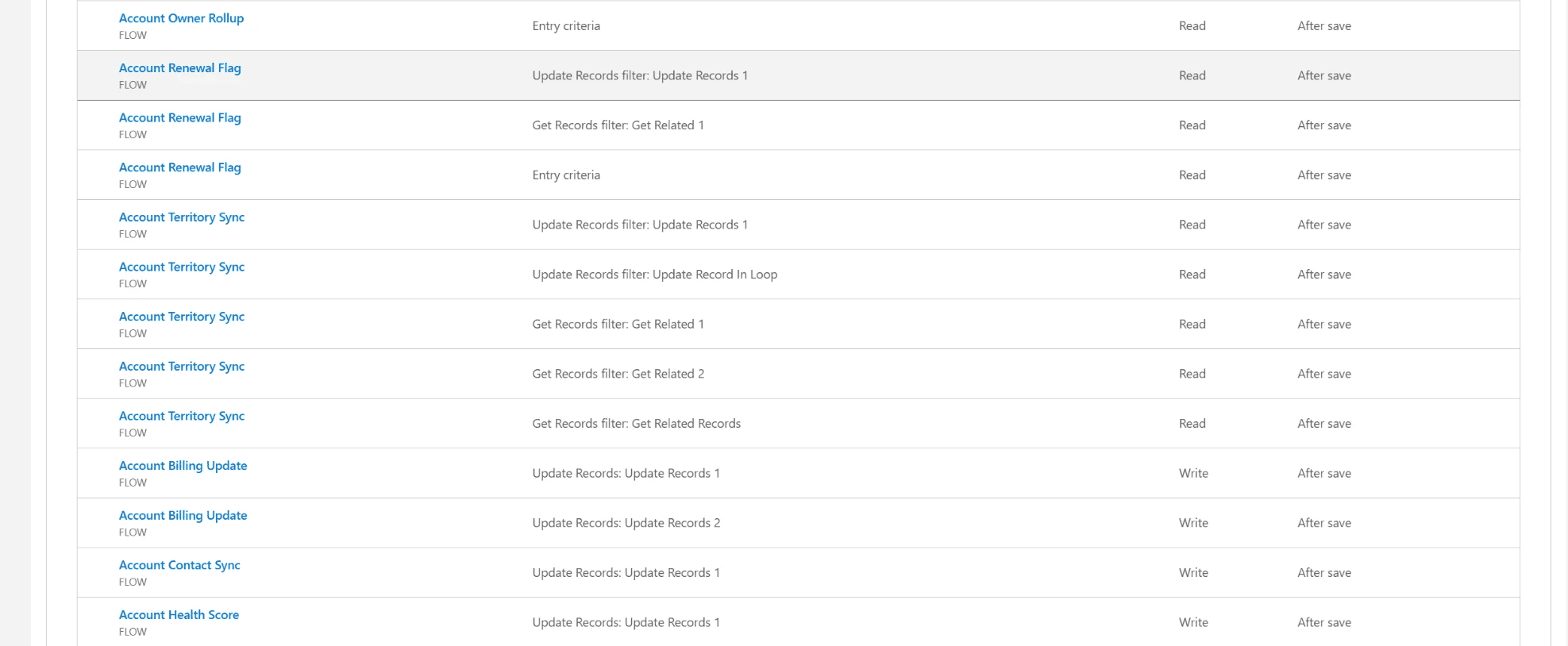
Nine places, one answer.
The first scan reads your whole org once. After that, asking about another field is instant.
Three things it finds on its own.
You do not always know which field to ask about. At object level the index surfaces the ones worth a look: custom fields nothing uses, fields written by more than one automation, and fields no profile can read.
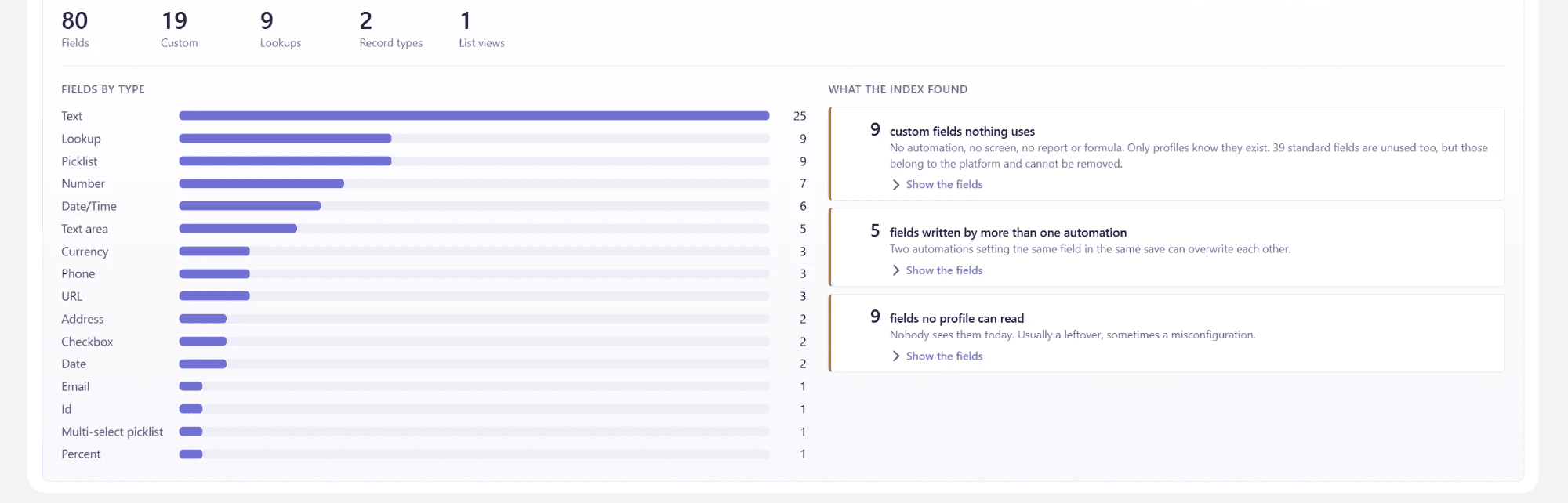
Three levels of export
One field to justify a deletion. One object for a working session with an admin. The whole org for the person paying for the cleanup, Flow analysis included. All branded with your name and colour.
Kept current on a schedule
Each run only looks at what changed since the last one, deletions included, so nothing lingers in the results after you clean it up.
Five automations writing one field is a symptom. The Flow Scanner tells you which one to open.
It scores every Flow and ranks every object by the automation load it carries.
Start with the field everybody argues about.
That is where the surprises are. Install the package, assign one permission set, and ask it. No card, no account, nothing leaves your org.